

Picking the right media player is crucial for optimizing your enjoyment of favorite movies, shows, and music. With the vast number of options, selecting one that combines efficiency and ease of use may prove challenging. A good media player serves as your passkey to a new world of delightful musical and visual experiences, and not just a tool. This guide aims to detail the features you should look out for when buying a media player, so your decision is as hassle-free as possible and based on your unique needs. We’ll share unique tips that transform your media experience from basic to extraordinary, from top-tier to superior, and from ordinary to exceptional, so make sure to read until the end. Click here to read more!
What are the essential playback features of a digital media player?
How does the format support affect playback?
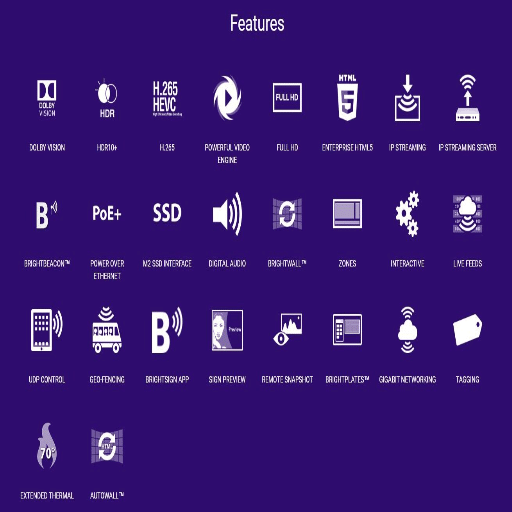
In the context of digital media players, format support is particularly central to flexibility and range of uses. This, in turn, refers to how well a media player can recognize and play different types of files, such as MP4, AVI, MKV, or FLAC. An extensive range of format support ensures that the media player can handle various types of video, audio, and subtitle files. Robust format support ensures users a hassle-free experience without compatibility issues. On the other hand, a lack of robust format support by a media player can result in errors and missing audio tracks you may have associated with multimedia files. Decoders are essential elements that format the video, while a media player should decode video efficiently. Also, H.264, H.265 (HEVC), and VP9 are other notable codecs that compress video effectively while maintaining high-quality media during playback.
Moreover, some media players come with advanced tools, such as auto codec updates, which ensure compatibility with new file formats. This feature is handy today, where media is delivered in HD and compressed for easier storage and streaming in various formats. In addition, support for dynamic formats like HDR, Dolby Vision, or spatial audio such as Dolby Atmos greatly enhances playback quality, making it more immersive. Choosing a media player with high format support is not only convenient but also protects your investment in an ever-changing environment where media evolves.
How vital are codecs when playing media?
When playing media, codecs are one of the most critical components because they enable the proper encoding and decoding of digitized media files, making it possible to store, transfer, and retrieve the media. The term “codec” comes from “coder-decoder,” and it reflects the two-sided nature of these technologies, which compress data into a smaller file while retaining its quality and decompress it to be used without any issues. A specific codec is assigned to different types of media, including video, audio, and even images. A codec must be selected carefully because it can make or break the expectations set on a media player. For example, the widely used video codecs H.264 and H.265/HEVC are ideal for video streaming because they offer a high compression ratio without compromising quality.
Codecs also help maintain consistency between the content accessibility and the playback device. Well-known audio codecs like AAC and MP3 offer usability for streaming high-quality audio on various platforms. Newer versions like OPUS and FLAC serve users with exceptional sound quality. Codecs have continuously evolved with improving technology, and more recently, the focus has been on supporting 4K, 8K, and HDR content. A good example is the AV1 codec, which has been gaining popularity for its high compression efficiency compared to older codecs, allowing for smoother streaming at lower bit rates.
To conclude, codecs remain the unsung heroes of modern media in the digital world as neither analogue nor digital video or audio files can be efficiently stored, streamed, and played back on a multitude of devices without their support. The demand for newer codecs directly results from the progression in media technology. They help improve the balance between the user experience and file size while accommodating new formats and technologies.
Are subtitles supported on today’s media players?
Yes, subtitles can be accessed in almost all of today’s media players due to improvements in software and formats. Most media players, including VLC Media Player, Windows Media Player, and QuickTime, offer comprehensive subtitle capabilities. Users can access external subtitle files as well as embedded tracks within media content. These players often support popular subtitle formats, such as.SRT, .SUB, and . ASS, which makes providing multilingual content much easier.
Streaming services like Netflix, YouTube, and Amazon Prime Video have also added features that allow users to customize subtitles, including font size, style, and even language. This expansion makes it easier for subtitles to be accessible universally, aiding those with hearing disabilities and those who speak different languages. The broadening access to subtitles proves they are essential in improving media consumption around the globe.
How do USB drives and SD cards enhance the multimedia experience?

What is the relevance of a digital media player for USB drives?
A digital media player serves as a vital link between USB drives and modern multimedia systems, making it an essential accessory for enhancing entertainment or productivity. USB flash drives are known to be handy because they can be used to save files, such as videos, music, and images. Paired with digital media players, these drives become even more versatile. Without the need for additional software or complex setups, these players decode content stored on USB drives and make it compatible with various devices, such as TVs, projectors, and sound systems, providing seamless playback.
Modern digital media players are designed to support a wide range of audio and video formats, ensuring users have access to a diverse array of high-quality content without any file compatibility issues. Advanced devices are now equipped with 4K resolution support, high dynamic range (HDR) playback, and surround sound systems that enhance the output quality of USB-stored files into a high-definition, cinematic masterpiece. Furthermore, some players integrate innovative functionalities such as wireless streaming and app support, which enhances the audio-visual experience.
Another significant benefit is that most digital media players have an easy interface, which helps users navigate USB-stored files. The use of folder management, thumbnail previews, and customizable playback options allows one to access the desired content promptly. These devices also help users to project their presentations, videos, or any other media professionally and reliably for professional use. Therefore, a digital media player improves the ease of use of USB drives and enhances the experience of multimedia for casual users and professionals.
Are USB drives and microSD cards compatible with a media player?
Yes. Newer media players support microSD cards and USB ports, allowing users to use external storage devices. Such media players usually have a range of ports for connecting external media. USB drives, with their wide availability and large storage capacity, are useful for many people and are compatible with various text and image files. Videos, audio files, and informative presentations of high quality can be easily stored on USB drives for playback. USB drives are even more helpful because they offer high storage capacity and are available almost everywhere. MicroSD cards are small and widely used in cameras and smartphones. The size makes them ideal for those who need to transfer files often between different devices or store them discreetly.
Using a media player, both USB flash drives and micro-SD cards enable effortless playback of files like MP4, AVI, MP3, and JPEG. Media players are equipped with decoders that ensure flawless functioning and high-quality playback of videos and files. Advanced media players also come with intuitive on-screen menus for navigating through the content stored in these external devices, which allow users to file and play them without hassle. Furthermore, several media players can accommodate vast amounts of data, meaning users don’t have to switch devices to access files frequently. This also ensures users have an extensive library of multimedia content at their fingertips.
Dependability, on the other hand, varies from one media player to another, depending on the model and technical details. USB and microSD are generally compatible with other devices, but using standardized FAT32 or exFAT file systems goes a long way. Some of the upper-tier multimedia players have a more flexible approach and support EXC SD cards and USB 3.0 hubs because they have high speeds and store more data. Both casual and professional users can appreciate the ease of access and uncomplicated use offered by the ability to connect USB drives and microSD cards without dealing with complicated configurations or other peripherals.
Which Media Players Have the Best Compatibility with USB Drives?
When discussing media players that work with USB drives, specific options excel in functionality, efficient performance, and are rich in features. Here are some of the best options to consider.
This one is perfect for gamers. If your video collection is vast, the NVIDIA Shield TV Pro can handle it with ease. Shield has great hardware in addition to its excellent media-playing capabilities. Besides, it allows streaming and upscaling of video material to 4K HDR, which guarantees a stunning viewing experience. The data transfer speeds from USB 3.0 ports are also super fast! To top it all off, the Shield has built-in Chromecast and countless other media applications, which makes its versatility unmatched.
For those looking to integrate technology into their home, the WD TV Media Player is straightforward to pair with other devices, offering excellent compatibility. The WD is another affordable option. It has reasonably priced media players with easy-to-understand guides, making it user-friendly. The WD TV Media Player offers full support for modern video, audio, and subtitle formats, along with an intuitive interface that makes navigation a breeze.
Zidoo Z9X 4K Media Player: Zidoo has designed the Z9X for home theater enthusiasts who seek unparalleled video and audio fidelity. With USB 3.0 support, the Zidoo Z9X can playback an extensive list of formats, including HDR10+ and Dolby Vision. It advertises an optional expandable internal storage and enhanced networking features, making it a premium home theater system pick.
Roku Ultra: A value-for-money option, Roku Ultra offers 4K streaming alongside a USB port for playing local media. Considered by both casual and advanced users, the easy-to-navigate interface, alongside support for primary streaming services and voice control features, makes it a rather compelling pick.
Minix NEO U9-H: Powered by Android, the Minix NEO U9-H gives access to a wide selection of applications. It is equipped with USB drives, allowing for smooth playback of 4K Ultra HD videos in multiple formats. Its compact form factor and low price make the device attractive to users seeking versatile budget options.
From powerful networking capabilities to unparalleled video quality or user-friendly interfaces, each has its unique strengths. Your choice will depend on your personal preferences, valuable features, desired capabilities, and what file formats you use the device for.
What video formats should a modern video player support?
Why is MP4 the preferred format for digital media?
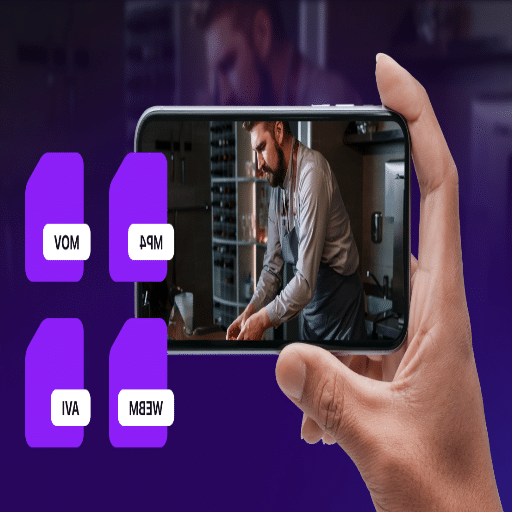
The reason why MP4 dominates the digital media industry is due to the unmatched versatility and efficiency of the format. Primarily, it provides high-quality video and audio while also maintaining a small file size, making it easier for users to share and stream content. With advanced techniques such as H.264 (AVC) and H.265 (HEVC), the MP4 format can compress files while still retaining quality, reducing cluttering storage spaces with excess files. In an era where bandwidth is limited, the efficiency of MP4 is priceless.
Another key benefit of MP4 is its compatibility. Almost all media players and devices, along with their operating systems, support MP4, including Windows, macOS, Android, and iOS. This ease of compatibility means there are no further conversions or downloads required to access MP4 files. In addition, MP4 is capable of housing multiple types of data, such as videos, audio, subtitles, and even images, within a single file, which increases its flexibility as a format. Its adaptability stretches further online as well, for example, MP4 is widely used by popular streaming services like YouTube, Netflix, and Vimeo, which helps strengthen its position as the go-to format for digital media.
What about the compatibility of AVI and MKV formats?
When analyzing them side by side, MP4, along with AVI and MKV formats, each has its weaknesses in specific ways. AVI format is an outdated one, but it is widely known for its ease of use. This basic format also has a wide range of compatibility with older devices and software. On the downside, it tends to take up a vast amount of storage space and is not ideal for modern streaming or sharing.
MKV (Matroska Video) is well-known for its flexibility, as it can hold high-quality video, multiple audio tracks, and a variety of subtitles all in one single file. This makes MKV especially useful for saving and maintaining HD videos. However, compared to MP4, MKV has weaker support on some devices and software, which means additional code and software may be needed for playback.
Where MP4 has the advantage of universal support and better file extraction, AVI and MKV each serve their purposes, whether it’s legacy support or advanced media capabilities explicitly tailored for custom media enthusiasts.
What is your choice between 4K and 4K Ultra HD digital media?
The introduction of 4K and 4K Ultra HD digital media has significantly changed the video formats that can be used, due to their high technical standards and resolution. With a resolution of 3840 x 2160, 4K UHD delivers four times the pixels of full HD, which is approximately 4 million pixels. The sharpness and colors that come with 4K content require a format capable of efficiently handling large sizes while retaining the required quality.
HEVC and H.265 encoding are pretty tricky to manage alongside file sizes; however, MKV and MP4 formats handle this with ease for 4K media. MP4’s world-renowned reputation stems from its usability in streaming services due to the diverse range of devices capable of seamless playback. Conversely, MKV outshines other formats during multi-track audio, subtitle storage, or video editing preservation, which enthusiasts and archivists frequently require.
Streaming services aim for formats that offer efficient playback and bandwidth optimization, while home theater systems or archival projects prioritize maximum quality and customization. Depending on the purpose, this is how the format selection for 4K content changes. As 4K ultra HD content proliferates, consumer and industry demand will heavily rely on adapted file format capabilities to support sophisticated media.
How important is streaming capability in a media player?
What are the benefits of a Wi-Fi-enabled digital media player?
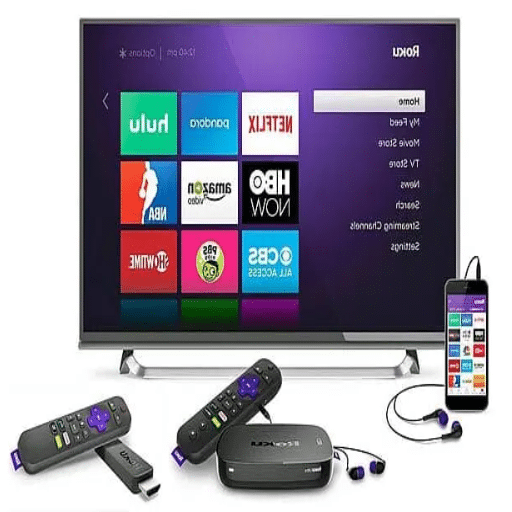
A digital media player with Wi-Fi connectivity connects to the internet, allowing for streaming without manual setup. The convenience of these devices, particularly when compared to their older counterparts, cannot be overstated due to their ability to access Netflix, Hulu, and YouTube, among other sites, free of charge and without requiring any additional hardware. Moreover, products with 4K Ultra HD and HDR capabilities for consumer content are readily available, thus appealing to users seeking an unparalleled experience.
Wi-Fi-enabled media players also offer extensive capabilities for wireless file sharing. Users can access their personal storage, which includes photos, videos, and songs, from other devices on the same network. Many of these devices incorporate smart home integrations, thus enabling users to control the systems hands-free via voice commands or through a mobile phone. This combination of broad network connectivity and integration with other smart home devices significantly enhances ease of use, creating an enjoyable user experience that exceeds standard expectations.
Can you stream content in 4 K quality?
Yes, streaming content in 4K is available if the content provider and the device used support it. Primary streaming services, such as Netflix, Amazon Prime Video, Disney+, and Hulu, offer a good selection of 4K movies, TV shows, and documentaries. However, some of these services offer 4K only on their premium subscription plans. 4K streaming provides unparalleled UHD viewing at a pixel resolution of 3840 x 2160, which is four times the amount of a standard 1080p HD. This increases clarity to astonishing levels, details become sharper, colors more vibrant, and the picture appears more lifelike and realistic.
To enjoy streaming in 4K without interruptions, you need a reliable and fast internet connection. Most platforms suggest having a consistent internet speed of 15-25 Mbps to support 4K video content reliably. Additionally, most modern devices, such as smart TVs, streaming sticks, gaming consoles, and even smartphones, are capable of 4K streaming. Ideally, these devices should also support HDR (High Dynamic Range) to enable enhanced picture quality by improving color and contrast accuracy. Some streaming services automatically adjust the video resolution depending on the network speed. Thus, a robust connection allows for seamless UHD playback. A suitable router and data plan, along with compatibility with other devices, enable smooth 4K streaming.
Which streaming services are compatible with modern media players?
For the ease of users, modern media players are compatible with many popular streaming platforms. Media services such as Netflix, Amazon Prime Video, Hulu, and Disney+ can be found on almost all devices. They also offer a wide selection of films, television shows, and original content, many of which are available in 4K, including titles from both domestic and international providers. In addition to those, many media players support specialized platforms such as Apple TV+ with its exclusive content created by Apple, and HBO Max, which is known for blockbuster movies, award-winning series, and documentaries. Compatibility with these platforms enables users to enjoy high-quality entertainment streaming content regardless of genre or interest.
Moreover, media players frequently support specialized and local region streaming services to meet differing user needs. Streaming services like Peacock and Paramount+ are universally supported, along with YouTube. Music streaming platforms like Spotify and Pandora are often pre-installed on most devices, making them a multifunctional entertainment system. For sports fans, media players usually include ESPN+ and DAZN, providing access to live broadcasts and other exclusive sporting content. The wide variety of services supported by contemporary media players offers unrivaled adaptability, customizable to users’ precise entertainment requirements. This feature positions them as the ideal option for users seeking effortless access to high-quality media content anytime.
What are the advantages of using an hdmi media player?
How does HDMI improve video quality?
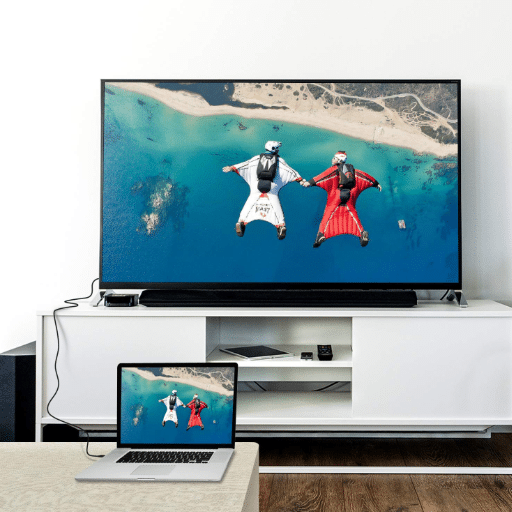
In my view, HDMI significantly enhances video quality because it transmits signals from one device to another using digital files that have not been compressed, so no information is lost. With HDMI, both the quality of video playback and audio are preserved, unlike with older analog connections. Therefore, I can view content like movies and shows, and even play video games with stunning visuals, where colors are lifelike and sharp details abound. Furthermore, HDMI’s high bandwidth capability allows for even 4K and 8K resolutions, which are truly immersive and future-ready.
Another remarkable thing that stands out to me with HDMI is how it supports other new technologies like HDR (High Dynamic Range). HDR improves the contrast ratio and color depth, making the picture quality highly enriched. Every time I use an HDMI-compatible configuration, I notice an increase in the level of colors, such as blacks and highlights, which makes the content very appealing while the imagery becomes even more vivid and engaging. When blended with multi-channel audio capabilities, HDMI instantly elevates my entertainment experience to a Hollywood-quality one. This is all made possible with one cable that simplifies the connections without revealing the mess of wires.
What features should you look for in an Ultra HD digital media player?
When considering an Ultra HD digital media player, I focus on several features for the optimal viewing experience. One of the most essential features is support for 4K resolution and HDR formats, including HDR10, Dolby Vision, and HLG. These capabilities help ensure outstanding picture quality, with sharper details, color, and contrast than ever before. Another integral component of smooth and engaging streaming is a fast and dependable processor, which helps prevent lag or buffering during high-resolution playback.
Connectivity options are yet another critical factor for me. I make sure the media player has HDMI 2.0 or later ports to guarantee 4K output and support for current devices. Moreover, I appreciate the inclusion of Ethernet and dual-band Wi-Fi, as stable internet is crucial for dependable streaming. The ability to expand storage via USB ports or microSD slots is a bonus, granting access to personal media files.
Both the Operating System and the available applications within the device also matter to me. I would prefer a media player with an appealing graphical interface and support for streaming options like Netflix, Prime Video, and Disney+. It’s also a plus if voice control is integrated with Alexa or Google Assistant, as it simplifies navigation. All in all, these attributes guarantee a rich, easy, and hassle-free entertainment experience that I am looking for.
Why are HD’s built-in voice control features essential?
Voice control with HD built into it is Very Significant to me because it changes the way that I use my devices. Instead of dealing with complicated remote controls or scrolling through layers, I can simply mention the title of the movie I want or the settings I want to adjust. This not only minimizes time spent but also makes the entire activity more user-friendly and effortless. If I wish to switch between the streaming services or increase the volume, everything is simple.
Moreover, voice control’s HD aspect guarantees responsiveness and clarity. Voice command execution is highly reliable, as my commands are recognized accurately, even in the presence of background noise. This proves helpful during busy moments, such as when I’m hosting a movie night or juggling multiple activities. The practicality is further elevated by the ability to sync with widely used voice assistants like Alexa and Google, which allow smart home controls integration. Essentially, it improves the entertainment experience by making it effortless, intelligent, and fully engaging. After experiencing this, I find it impossible to revert to traditional navigation methods.
- TechRadar – The best free video players 2025
- TechRadar – Best MP3 player 2025: top portable hi-res music players
- CNET – Best MP3 Players for 2025
- CNET – Best Wired TV Streaming Devices of 2025
- CNET – RealPlayer review
Frequently Asked Questions (FAQs)
Q: What are the key features to look for in a 4 K Ultra HD digital media player?
When choosing a 4K Ultra HD digital media player, pay attention to capabilities such as support for various video formats, including MP4, MOV, and MPEG. Other noteworthy features include HDR support, HDMI and analog AV output sockets, and high-resolution video content decoding.
Q: How does a 4k ultra-hd digital media player differ from a regular media player?
A: A 4K Ultra HD digital media player provides sharper images and more detail because it outputs videos at a higher resolution than regular media players. Also, 4K Ultra HD players are more advanced than regular ones because they often include HDR support and higher-tier audio decoders.
Q: Can I use a 4 K Ultra HD digital media player with my smart TV?
A: Most 4K Ultra HD Digital Media Players work well with smart televisions. Make sure your TV has enough HDMI ports to connect the player and check if it supports specific formats, such as HDR.
Q: What does it mean for a media player to support automatic playback and looping capability?
Automatic playback and looping capability refers to a feature in the media player that allows the automatic start of playback of media content upon power on, and also enables the repetition of video files or playlists without manual intervention. Each of these functions supported by the media player is relevant to the use of the media player for digital signage purposes.
Q: Can an MP4 video player for USB perform playback of videos stored in a USB drive?
An MP4 video player for USB usually allows you to connect the USB drive and therefore plays back video files stored on it. Note that the files on the USB drive must be in an acceptable format, such as MP4 or MPEG; otherwise, the system will not play the files.
Q: How beneficial is it to use free open source cross platform multimedia players like VLC?
A: Free, open-source, cross-platform multimedia players like VLC are easier to use because they support many types of audio and video files, including 4K videos. These players also receive new updates more frequently than others, guarantee compatibility with many systems, and, worse, contain no advertisements.
Q: How useful is HDR support on a modern media player?
A: HDR (High Dynamic Range) technology is critical for modern media players, as it enhances the visual experience, especially in 4K Ultra HD digital videos, by deepening contrast and increasing color range. This means the video will appear more lifelike and colorful.
Q: Is it possible to stream media content through a 4K Ultra-HD digital media player?
A: Surely, several 4K ultra-HD digital media players include Wi-Fi functionality, enabling users to stream media content from different websites as well as from local area networks, increasing flexibility and ease of use.
Q: Which file formats does a TV MP4 video player accept?
A: A TV MP4 video player usually accepts many formats such as MP4, MOV, MPEG, and RMVB. It’s essential to check the compatibility of specific formats with the player you want to purchase.
Q: Why are HDMI and analog AV outputs important for a media player?
A: HDMI outputs are needed for the latest modern display units to receive both audio and video signals, as HDMI delivers superior quality. Analog AV outputs, on the other hand, allow connection to older TVs and audio devices. Having both types of outputs allows for flexible connection to different devices.


